WinTV Extend:
Live TV on your iPad/iPhone, Android device, PC or Mac
WinTV Extend is an Internet video streaming application built into some versions of the WinTV v8 and WinTV v7.2 applications. WinTV Extend takes the live TV signal from any Hauppauge TV tuner and converts the TV signal into a form which is compatible with an iPad, iPhone, iPod Touch, PC or Mac computer. WinTV Extend then 'streams' the converted TV signal over the Internet to the receiver device.
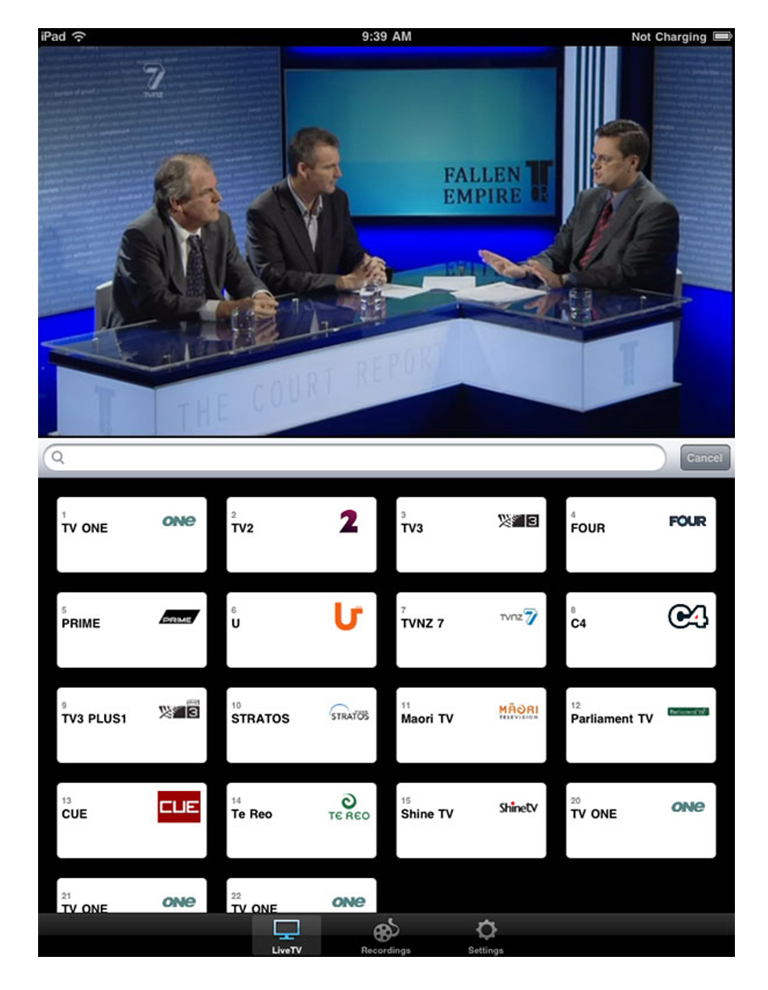
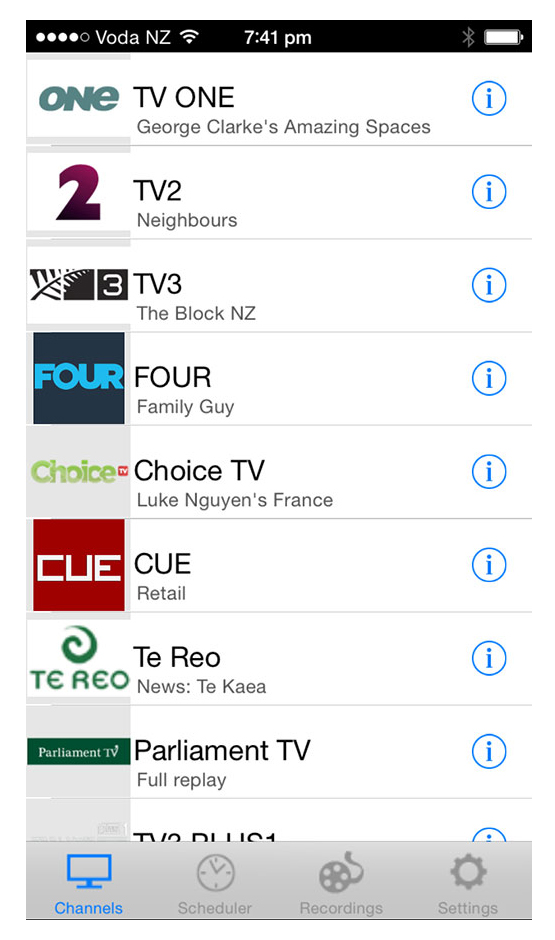
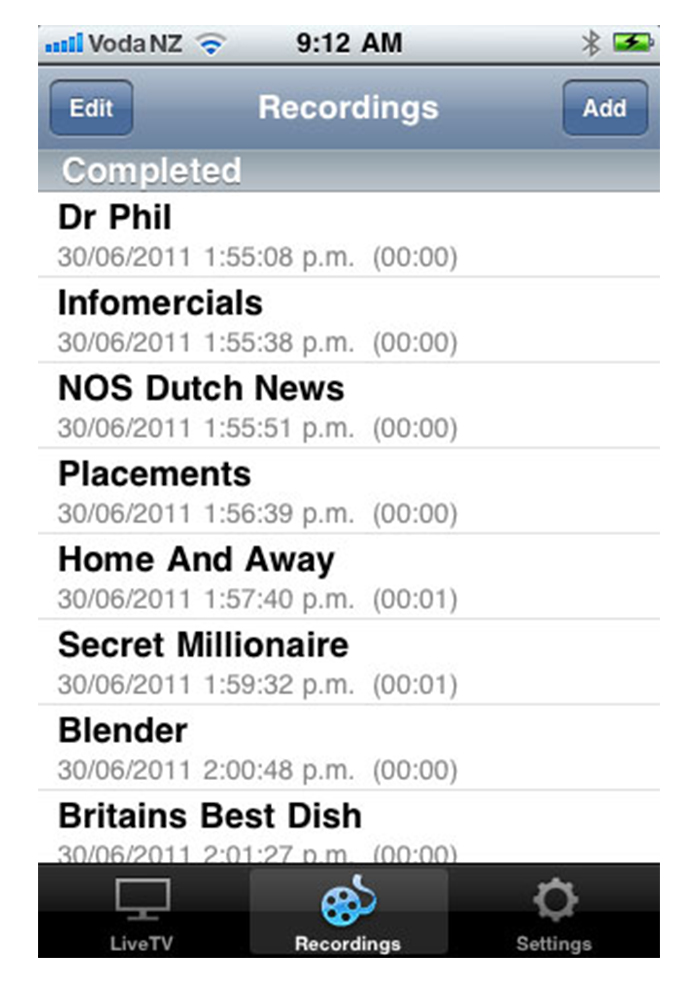
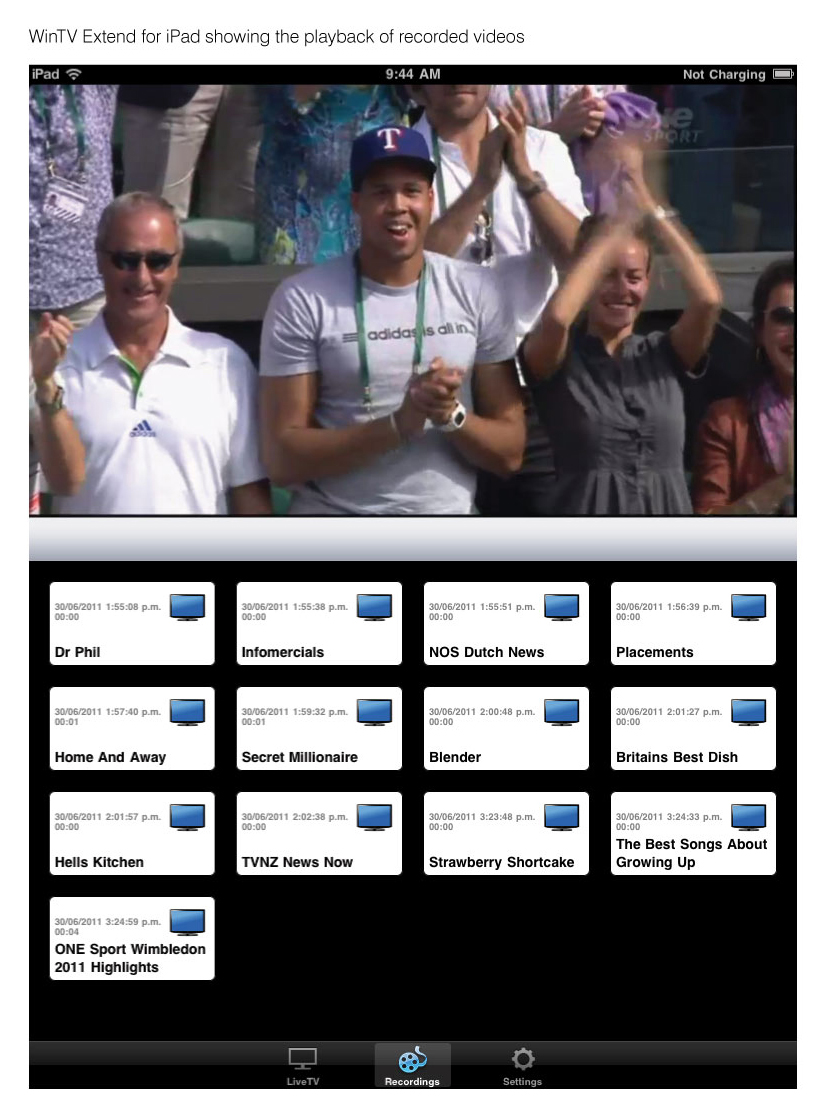
WinTV Extend can be stream to a web based client, or if you are using an iPad or iPhone, you can use the Hauppauge Extend app which can be downloaded from the Apple app store.
WinTV v8 with Extend and WinTV v7.2 with Extend run on Windows based PCs with Windows 10, 8, 7, Windows Vista or Windows XP. It currently does not run on a Mac, though TV from WinTV Extend can be watched on a Mac.
WinTV Extend has the following features
- Streams live TV to your iPad or iPhone, or remote Mac or PC via Wi-Fi or the Internet
- On the receiving device, you can use either an Internet browser to watch TV or you can use the WinTV Extend iOS app for the iPhone or iPad
- Digital parental control (North America)
- Closed captions (North America)
- High Definition TV support (when used with Hauppauge TV tuners with HD TV support)
- Integrated TV recording scheduler
- Instant time shift and recording
- Multiple tuner support, either the WinTV-HVR-22xx or the WinTV-dualHD
- Logical channel numbers
To run WinTV Extend, you need to have a WinTV TV tuner in your PC and your PC needs to be connected to either a home Wi-Fi network or the Internet.
The WinTV Extend app for your iPad or iPhone
The WinTV Extend app is available from the Apple app store at no cost. To download WinTV Extend, look up 'WinTV Extend' on the Apple app store.
Here's a link to the Hauppauge Extend app on the Apple app store:

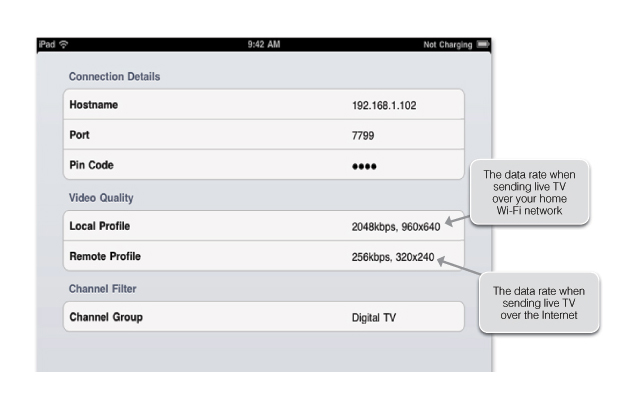
The WinTV Extend iPad/iPhone app uses a Wi-Fi connection only (no 3G or 4G support is currently available). Wi-Fi can be used to watch live TV from your Hauppauge TV tuner in your home or in a hotel (as long as you have a Wi-Fi connection for your iPhone or iPad). If you want to watch TV over a 3G or 4G connection, you can use WinTV Extend with Safari or any other Internet browser.
WinTV Extend for Android devices, Windows phones, PCs or Macs
If you are using a Mac, PC or Android device, all you need is browser (Safari recommended on the Mac, Chrome or Internet Explorer on your PC). If you are using an Android phone or tablet, you need to be running Android version 4.1 or later.
To run Extend on your device, you will use a browser. Please refer to the Extend Quick Install Guide in the section called "Watching TV on your iPhone, iPad or other remote device ".
Where to get WinTV v8 with Extend TV application for your PC
WinTV v8 with Extend is available from the Hauppauge webstore at a cost of $9.95 (plus shipping). You can order it from:
https://www.hauppauge.com/site/webstore2/webstore_cd-wintvv8.asp
If you click on the Gallery tab above, you will find some screen shots of an iPhone receiving video from WinTV Extend. The iPhone pictures show the TV control overlay with Pause and 30 second replay.
WinTV Extend currently runs with the following WinTV TV tuners
All WinTV-HVR TV tuners for North America and Europe, plus the WinTV-DCR-2650 and the Starburst satellite receiver, the WinTV-dualHD and WinTV-NOVA-T, WinTV-NOVA-S and WinTV-MiniStick products in Europe and Asia.
Find the WinTV Extend app on the Apple app store
The new WinTV Extend app is available from the Apple app store at no cost. To download WinTV Extend, look up 'WinTV Extend' on the Apple app store.
WinTV v8 with Extend Download for Windows
WinTV v8 with Extend is available from the Hauppauge webstore at a cost of $9.95 (plus shipping). You can order it from the Hauppauge Webstore
Installation notes:
A valid WinTV v8 or WinTV v7 application CD-ROM or a WinTV v8 installation code will be needed to install this WinTV v8 version. If you do not have your original WinTV CD-ROM but would like to update to WinTV v8, you can purchase a new WinTV v8 CD on the Hauppauge webstore for $9.95. This can then be used to activate WinTV v8.
WinTV v8 application and TV tuner driver download package
WinTV v8 application and TV tuner driver download package
This is WinTV v8, which can be used if you have a WinTV v7 CD-ROM. If you have a WinTV v8 Activation Code, you can upgrade to WinTV v8.5 at no cost.
Installation notes for WinTV v8:
WinTV v8 is primarily for the Hauppauge WinTV-HVR-850, WinTV-HVR-950, Colossus (not Colossus 2), HD PVR model 1212, WinTV-HVR-1150, WinTV-HVR-1500 or WinTV-HVR-1600. WinTV v8.5 does not support these products.
Activation for this version of WinTV v8 is done with your WinTV v7 CD-ROM or WinTV v8.5 Activation Code.
WinTV v10 Activation Code: If you do not have a WinTV v8/8.5 Activation Code, you can purchase the new WinTV v10 Activation Code on the Hauppauge webstore for $12.95. This can be used with all products supported by WinTV v8 and WinTV v8.5
WinTV v8 installer
For Windows 10, 8, and 7
File name: wintv8setup_35167.exe | File size: 108 MB | Date: June 23, 2017 Release notes | Backup download site
This download is a complete installation package, including drivers for supported WinTV products plus the WinTV v8 application and utilities.
To install the WinTV v8 application
- Download the WinTV v8 installer to your PC. After downloading this file, it's normally saved in the Download directory on your PC
Note: If you see a message Run or Save?, click Save. - Have your WinTV Activation Code ready or insert your original valid WinTV v7 CD
- Run wintv8setup from the Download directory on your PC
- At Activation required, click Check WinTV CD if you have a WinTV v7 CD or click Enter Serial Number and then enter your WinTV Activation code.
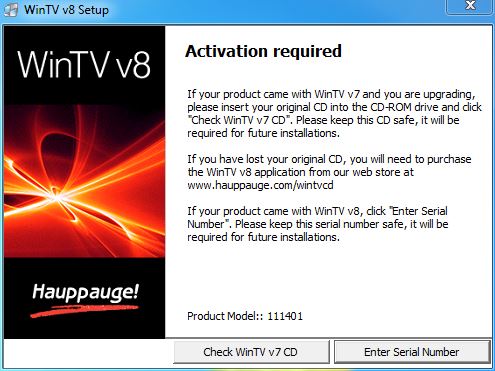
This will complete the driver and application installation for your WinTV.
To install WinTV v8 on a PC or laptop without a CD-ROM drive
If your PC or laptop does not have a CD-ROM drive, do the following:
- At the conclusion of the installation a dialog box will pop up saying "Activation required"
- Click Enter Product Code
- You will find the Product code on your WinTV v7 Installation CD
- Enter the Product code including dashes and dots
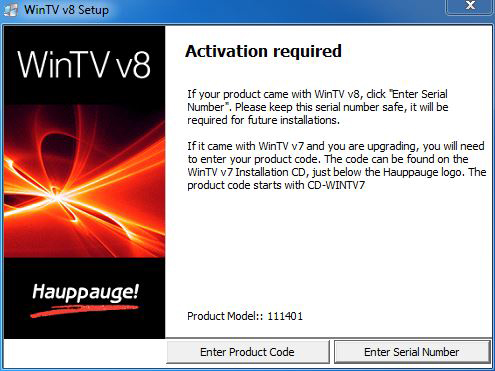
To find your Product Code
Look at the following guide for finding your product code
Note: If you have a WinTV v7.2 CD-ROM with Extend, the latest version of WinTV v8 with Extend will also be installed.
Beta
None at this time.
WinTV Extend Quick Install Guide
WinTV Extend router setup instructions
Get information on configuring your router at home so that WinTV Extend can send live TV over the Internet.
End user license agreement (PDF)
FAQ
Extend uses Flash, but I read that Flash support in many web browsers is being discontinued in 2020. Will I still be able to use Extend?
Hauppauge is moving the streaming format from Flash to HLS, which stands for 'HTTP Live Streaming'. HLS is support on most if not all modern browsers.
The latest versions of WinTV v10 with Extend (version WinTV v10 39009 or later) uses HLS in place of Flash.
HLS will be initially supported on Chrome, Firefox and Edge, and will roll out to other browsers over time.
How fast does my PC need to be in order to use WinTV Extend to stream over the Internet?
We typically recommend an i5 or faster or equivalent.
Why can't I see all of my TV channels on my iPad?
If you have problems seeing the complete TV channel list on an iPad, use two fingers to scroll the channel list. On the iPad, you need to touch a channel number once to set the channel. To scroll the channel list, use two fingers. Click once on the TV picture to see the video controls: 30 second replay, pause, play, full screen, audio volume adjust.
My PC is running very slow when I'm using analog cable TV with WinTV Extend. What can I do to improve my system performance?
If you are using analog cable TV, you will get better performance if you use a CPU which is higher performance such as an i5, i7 or i9 (or equivalent).
I'd like to watch TV on my iPad from outside my house. How do I open a port on my router so that this will work?
For WinTV Extend to be used from outside of your home, you need to have an open "port" on your Internet router which allows video to pass from the PC which is running WinTV Extend to your iPad or other supported device.
For instructions on opening a port on your router, click here.
Can I use WinTV Extend with the IR blaster?
Yes. If you have one of the Hauppauge TV tuners with a built-in IR blaster, WinTV Extend can use the IR blaster to change the channels on your cable TV or satellite set top box. Hauppauge TV tuners with a built-in IR blaster include the WinTV-HVR-1600, WinTV-HVR-1850, WinTV-HVR-1950 and WinTV-HVR-2250.
Can I use WinTV Extend with the HD PVR 2?
Yes. WinTV v10 includes support for the HD PVR 2.
If I use Extend with an HD PVR 2 which is connected to a cable box and the TV channel is 1080i, will the transcoded video be de-interlaced, and if so will it be 60 fps or 30 fps?
Normally, Extend will encode the video to progresive via one of the built-in profiles (which can be customised). It will be encoded at 30 or 25fps depending on the input fps. e.g. 60 will be 30, 50 will be 25.
The profiles are designed so that the Extend video streams are compatible with phones, tablets and PCs. The Extend UI on the client will have a selection of profiles which were tested to be compatible with the client.
Here is an example of the profile for PC streaming, which comes from the WinTV Extend configuration file:<Device name="PC" localProfile="1Mbps, 576p" remoteProfile="320kbps, 480p">
<Profile description="2Mbps, 1080p" bitrate="2048" resolution="1920x1080" remoteBuffer="4400000" localBuffer="4400000" audioBitrate="192k"/>
<Profile description="4Mbps, 1080p" bitrate="4096" resolution="1920x1080" remoteBuffer="6000000" localBuffer="6000000" audioBitrate="192k"/>
</Device>
I have a data plan on my iPhone which is limited. How much data will WinTV Extend use?
WinTV Extend, when used to send video over a cell phone network, consumes approximately 490 Mbytes per month for 10 hours of remote TV watching. When WinTV Extend is used through a WiFi network, there is no cell phone usage.